



PUBG Mobile UC Top Up – Better Prices & Instant Delivery
Looking to unlock the latest outfits, Royale Pass, or limited-time content? Top up PUBG Mobile UC at Mone and enjoy competitive prices, secure payments, and instant delivery.
From weapon skins and stylish outfits to vehicle skins and exclusive crates, UC lets you personalize your PUBG Mobile experience your way.
Information Required
Please provide: PUBG Mobile UID
- Please make sure your UID is correct to avoid delays.
Supported Platform: PUBG Mobile
Supported Server: PUBG Mobile Global
-
Taiwan, Japan, South Korea, and Vietnam accounts are not supported.
How to Find Your PUBG Mobile Player ID
- Log in to PUBG Mobile.
- Tap your avatar in the upper-left corner.
- Open the Basic Info page.
- Your Player ID is displayed above your avatar and can be copied directly.
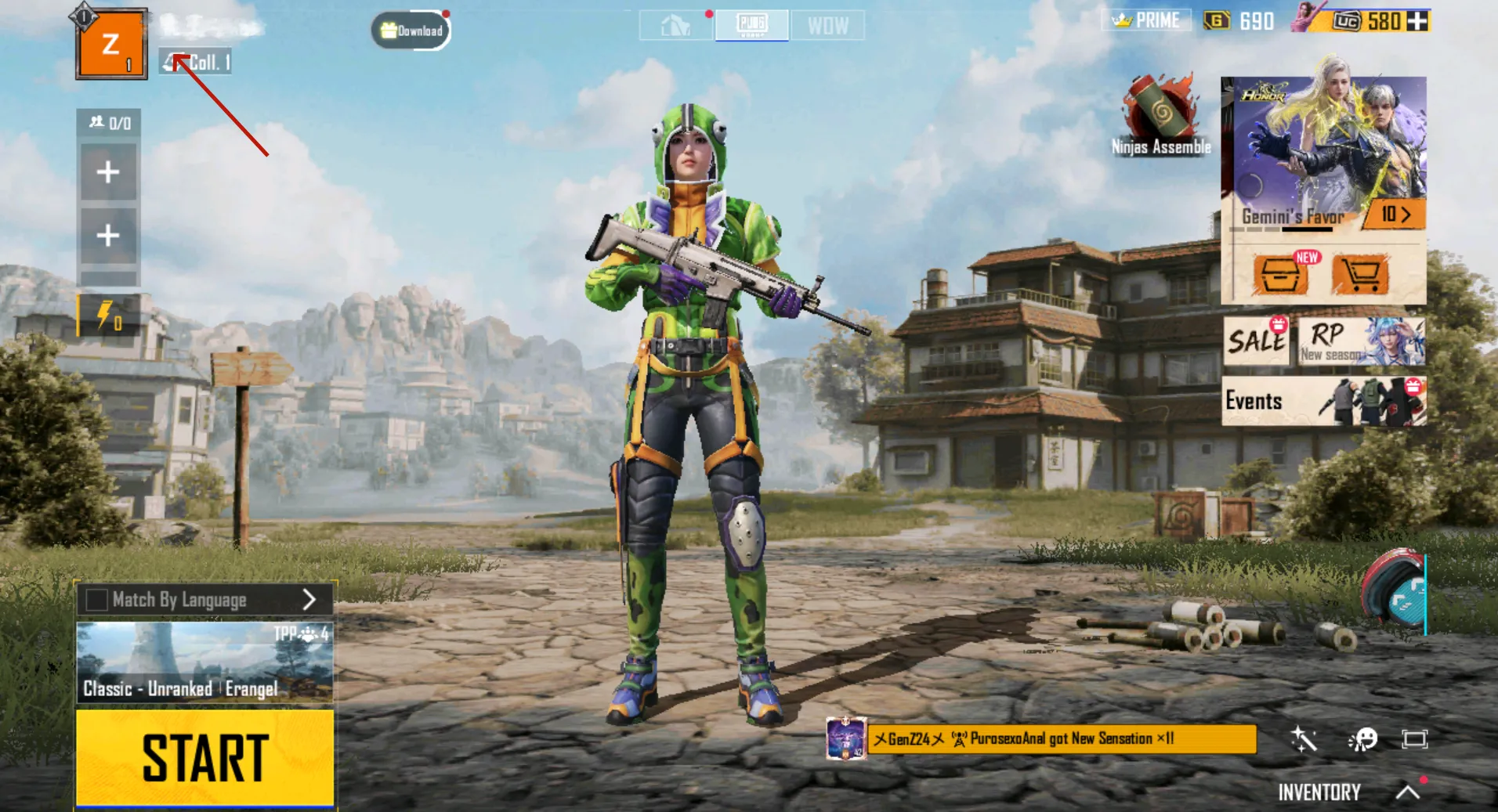
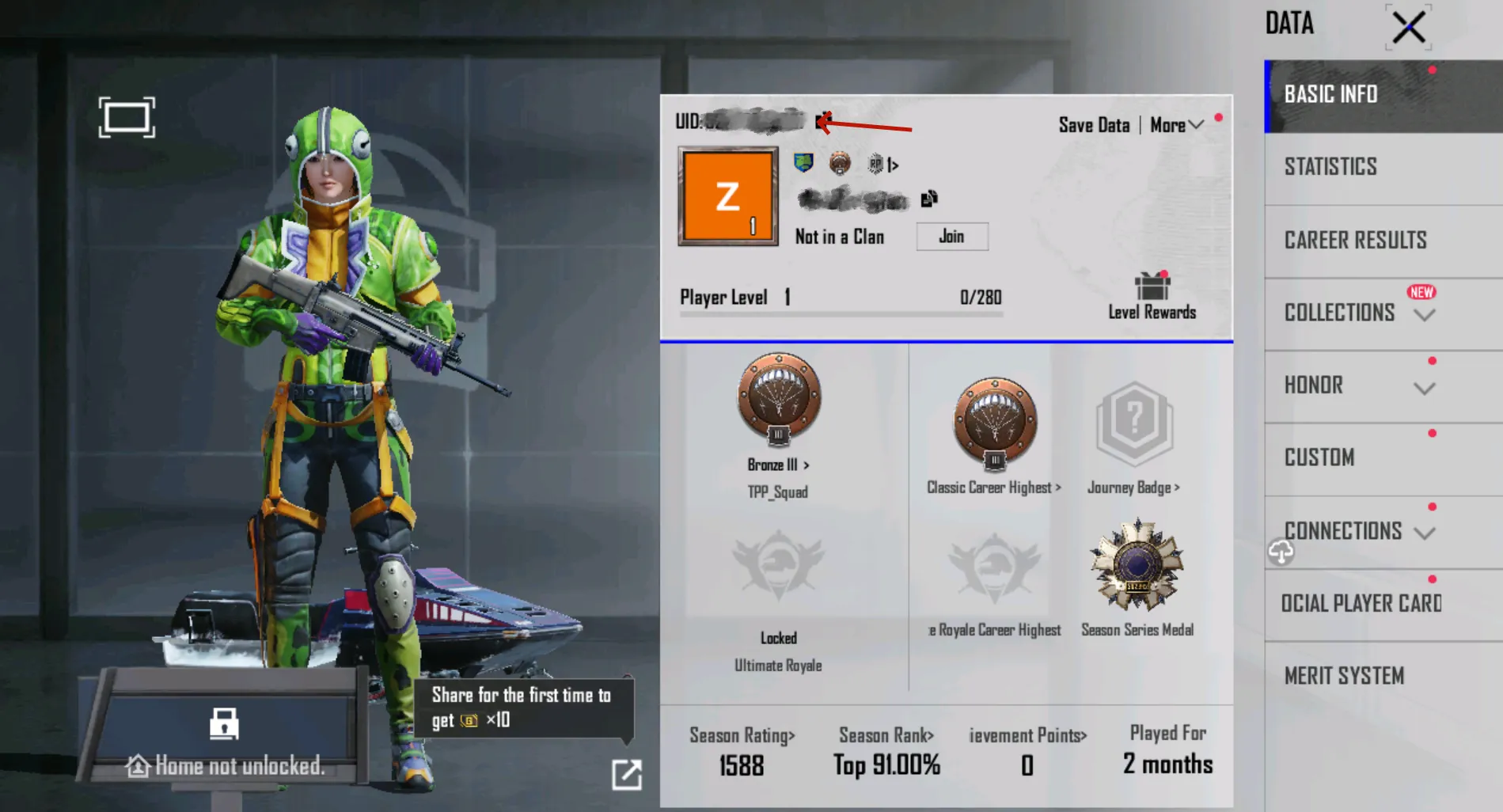
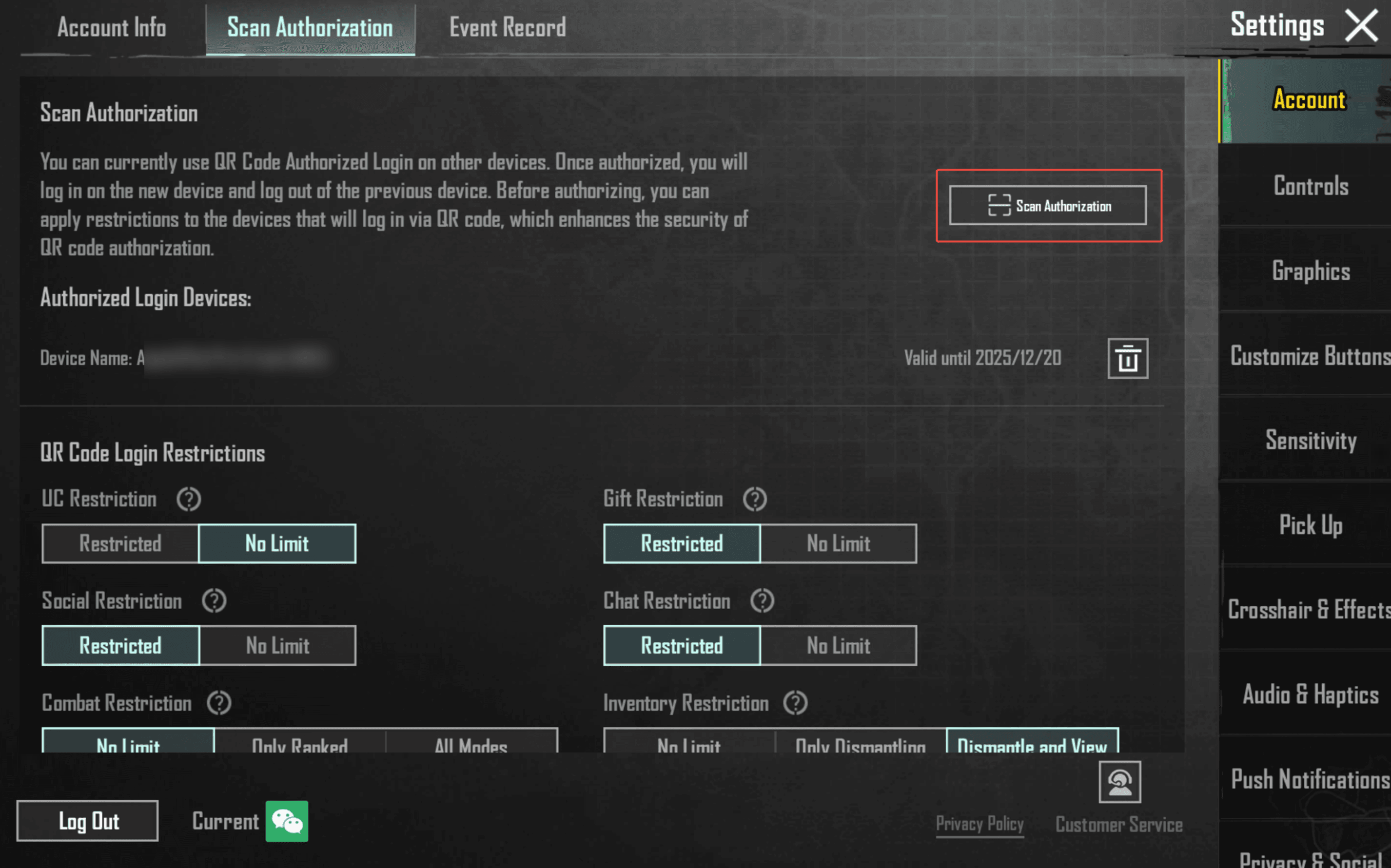
- For a higher success rate, we recommend using the QR code authorization feature.
How to Enable QR Authorization
Go to Settings → Account → Scan Authorization, then enable the feature.
Why Top Up at Mone?
- Better Prices: Enjoy competitive prices, seasonal promotions, and exclusive member offers.
- Instant Delivery: Most orders are processed shortly after payment.
- Secure Transactions: Encrypted payment systems help keep every purchase safe and reliable.
- Multiple UC Options: Choose from a wide range of UC packages to match your budget.
What Is PUBG Mobile UC?
UC (Unknown Cash) is the premium currency in PUBG Mobile. It can be used to purchase: Weapon skins, Character outfits, Royale Pass,Vehicle skins,Emotes, Voice packs, Crates and exclusive bundles.
Use UC to customize your character, unlock premium cosmetics, and enjoy more exclusive in-game content.
How to Get PUBG Mobile UC
UC can be purchased directly through the in-game store or earned from selected events and Royale Pass rewards.
For better prices and a more convenient top-up experience, choose Mone to recharge your PUBG Mobile UC quickly and securely.