
mone

WOS

WOS
393 売却済み

Shopping Cart Released! Enable Google 2-Step for faster top-ups. Click '?' for guide.

説明

Whiteout Survival Top Up – Buy WOS Packs, Save on Frost Stars

Whiteout Survival packs top-up on Mone are priced below their Frost Star cost in-game, so every purchase helps you save. Link your Google or Facebook account, choose the pack you want, and our team handles the rest — most orders arrive within 5 minutes.

Where Can You Buy Cheaper Whiteout Survival Packs?

Buying your Whiteout Survival packs through Mone is one of the easiest ways to save money. We offer competitive prices and regular discounts across a wide range of packs. Below is a price comparison between the official in-game store and Mone:

Currency / Pack In-Game Price Mone Price Discount
$0.99 Custom Pack $0.99 $0.78 22% off
$1.99 Custom Pack $1.99 $1.57 23% off
$2.99 Custom Pack $2.99 $2.35 22% off
$3.99 Custom Pack $3.99 $3.13 22% off
$4.99 Custom Pack $4.99 $2.99 40% off
$9.99 Custom Pack $9.99 $7.84 22% off
$19.99 Custom Pack $19.99 $15.69 22% off
$49.99 Custom Pack $49.99 $39.23 22% off
$99.99 Custom Pack $99.99 $80.33 20% off
$4.99~$99.99 All-in-One Pack $184.95 $158.78 15% off

By checking promotions and special offers regularly, you can be sure you're getting the best possible price on every pack. Mone's pricing stays consistently 20%+ below the official in-game store across nearly all pack tiers, so it's worth comparing before you buy directly.

チャージ手順

How to Top Up WOS Packs on Mone?

To ensure your top-up is completed successfully, please provide accurate information and follow the steps below:

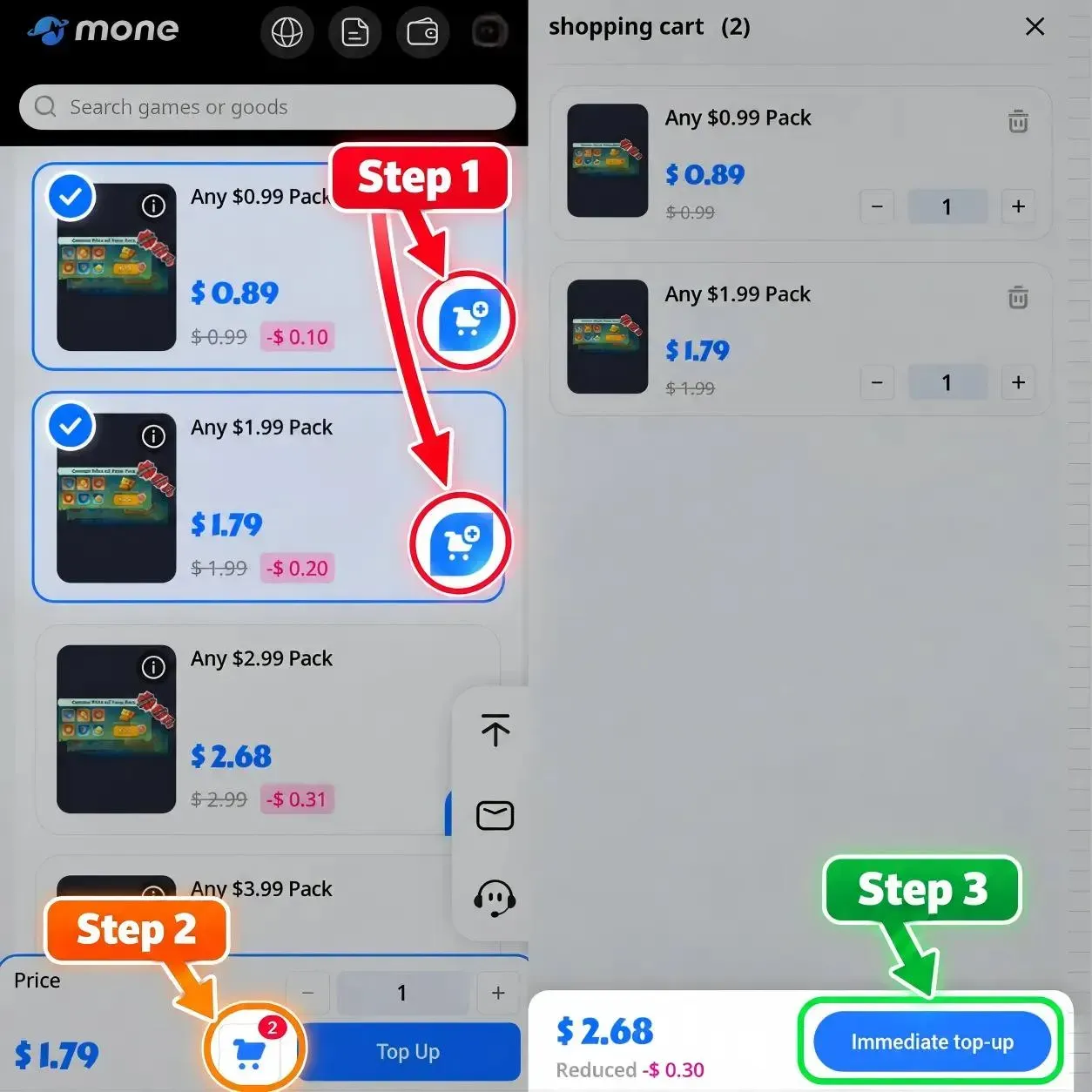
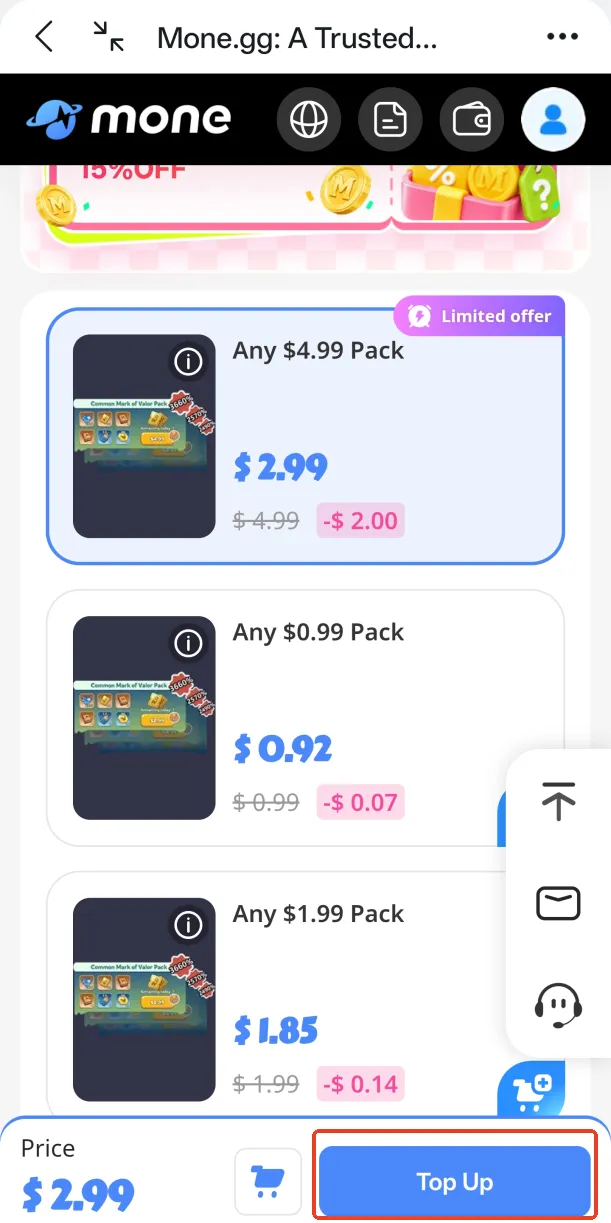
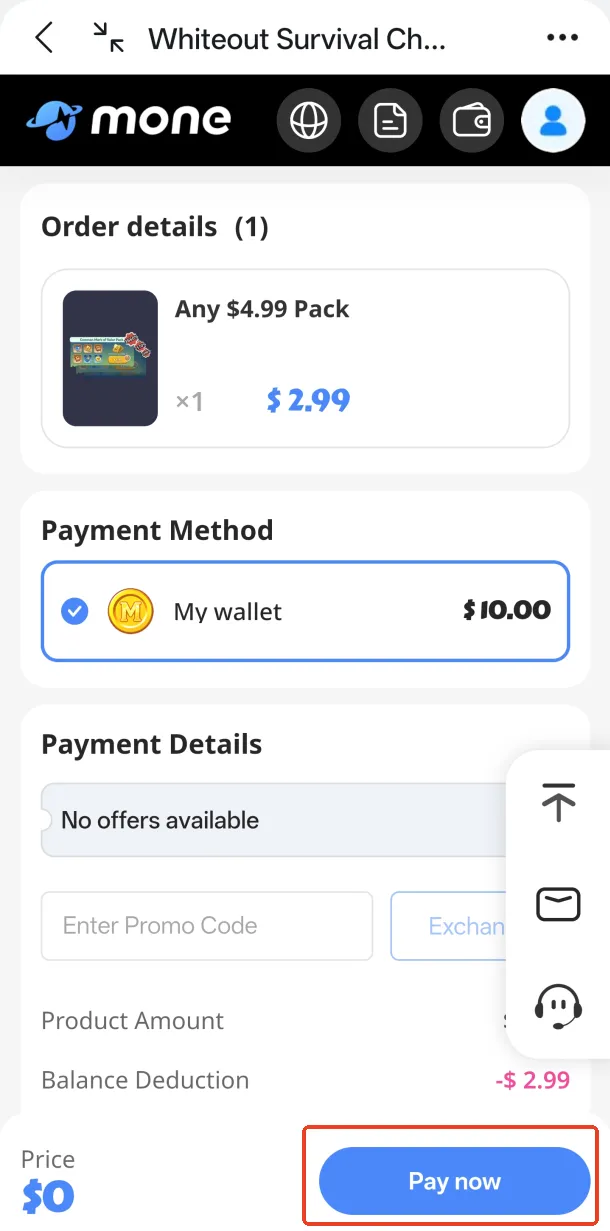
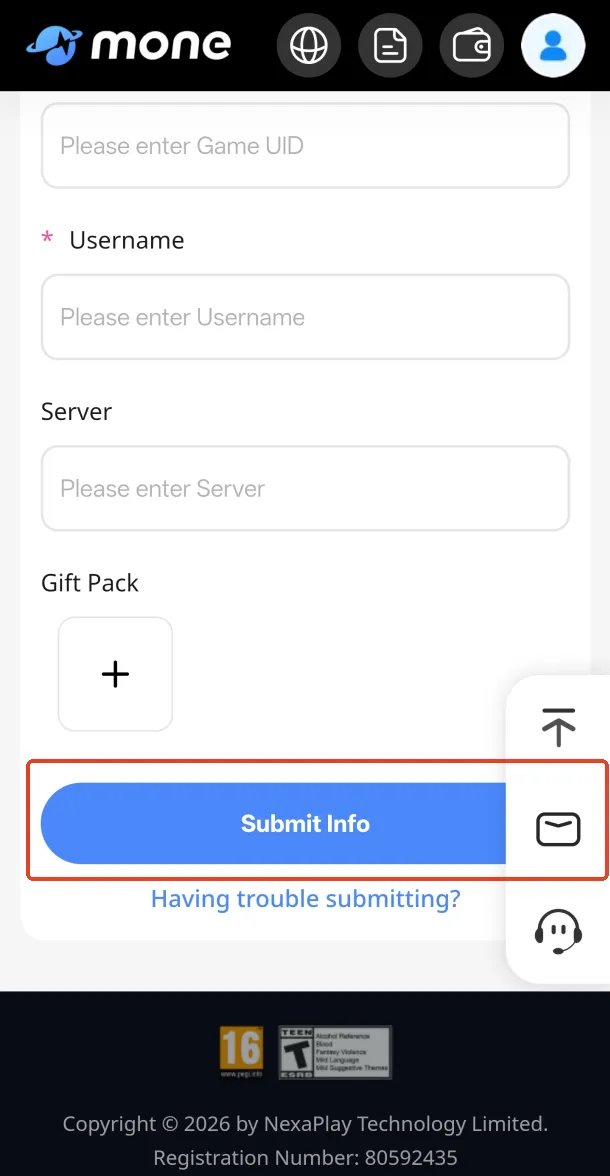
1. Select Package and Complete Payment: Choose the Whiteout Survival pack or denomination you want to purchase, then complete the payment using your preferred payment method (such as Visa, MasterCard, Apple Pay, Google Pay, etc.). After successful payment, please submit the required account information so our support team can process your top-up.

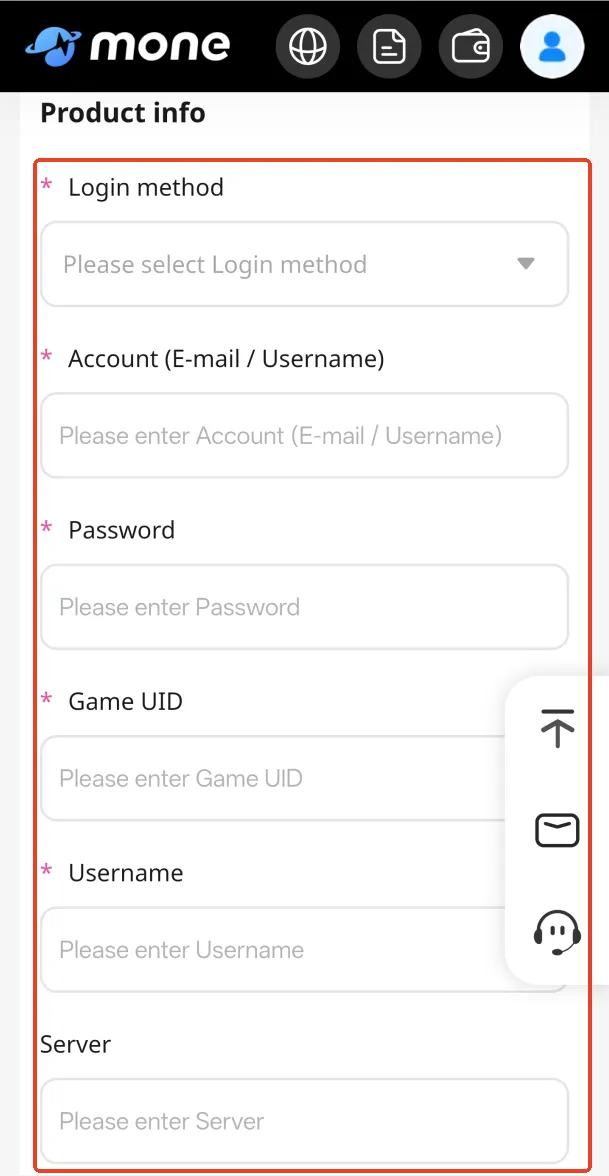
2. Provide Account Information:

  • Linked Account: Please provide the Google or Facebook account linked to your Whiteout Survival account. Our team will use this information to complete the top-up on your behalf.
  • Character Name: Enter your in-game character name so we can verify your game information.
  • Character UID: Provide your in-game UID to help our team locate your account quickly.
  • Pack Screenshot: Upload a screenshot of the exact Whiteout Survival pack you want to purchase. This helps us confirm the correct item, as pack contents may vary depending on events or pop-ups.

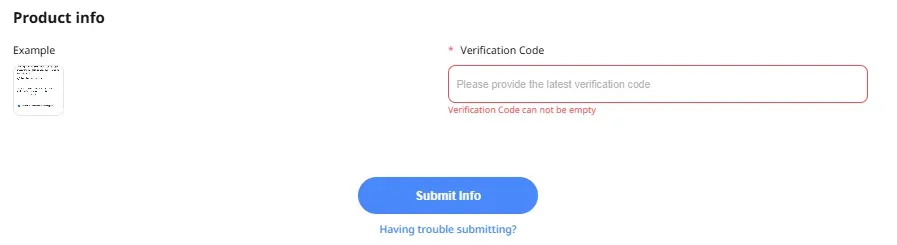
When logging in with Google, after submitting your account information, our support team will contact you to request the verification code from your email. Please stay available so we can complete your order quickly.

How to reopen the top-up information page if it was accidentally closed?

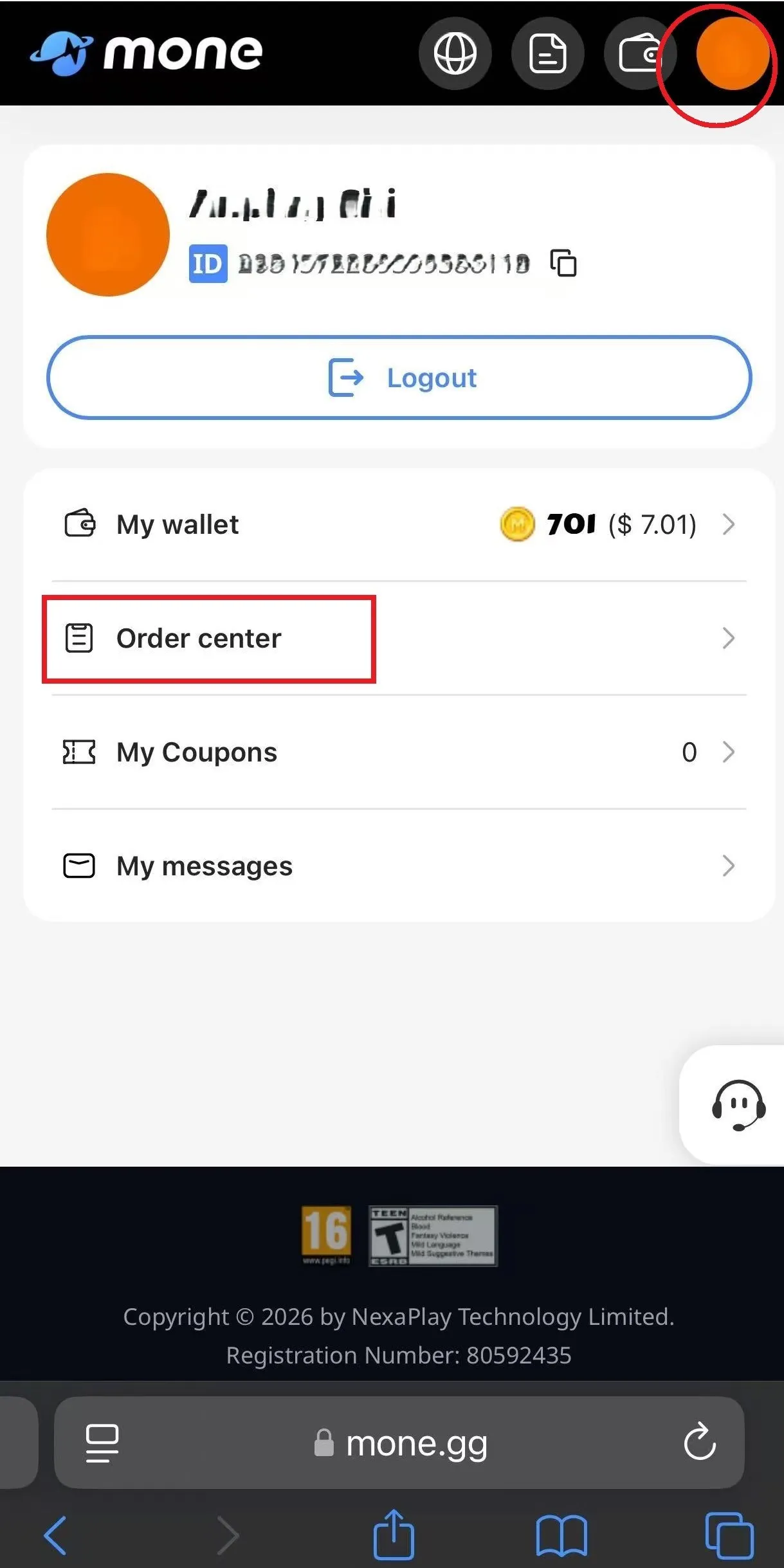
1. Click your avatar in the upper-right corner of the page → enter "Order Center".

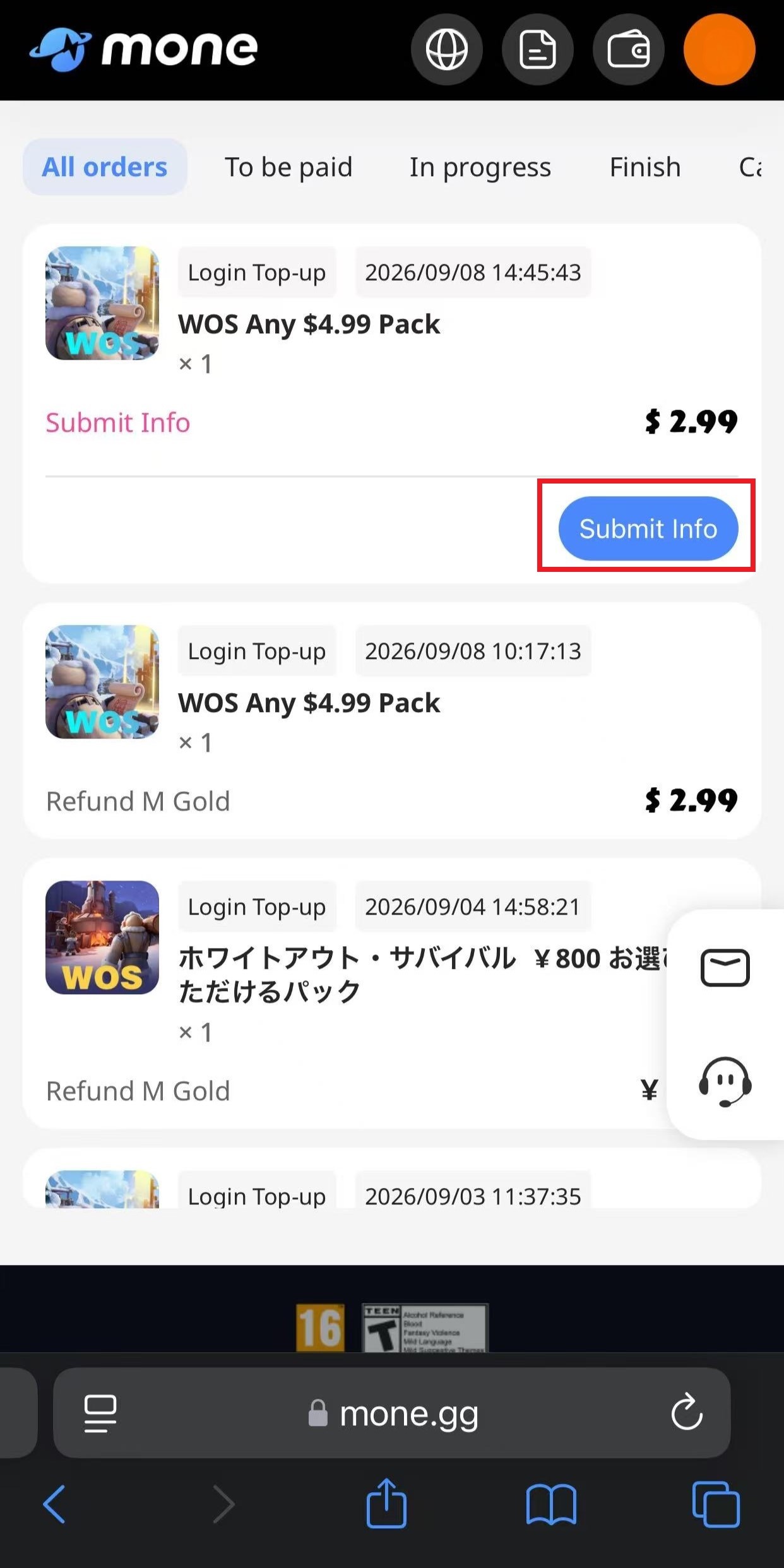
2. Find the top-up order where account information has not been submitted, then click "Submit Information".

3. After submitting the required information, your order will be processed. The top-up is usually completed within approximately 5 minutes. If there is any delay, please contact customer support for assistance.

Important Notes:

* Login Top-Up Service: This service requires account login to complete the purchase. Please provide your linked account information, and our dedicated team will log in to your account and complete the pack purchase for you.

* Do Not Log In During the Top-Up Process: After successful payment, please do not log in to the game yourself until you receive confirmation from our support team that the delivery has been completed. This helps prevent interruptions or top-up failures.

* Keep Online Communication Available: If your Google/Facebook account has two-factor authentication enabled, our support team will need the verification code when logging in. Please monitor online support messages after placing your order and provide the code promptly to ensure the fastest possible delivery.

* Secure Logout and Login History Removal: After the top-up is completed, our team will immediately log out of your account and clear the login history to protect your privacy and account security.

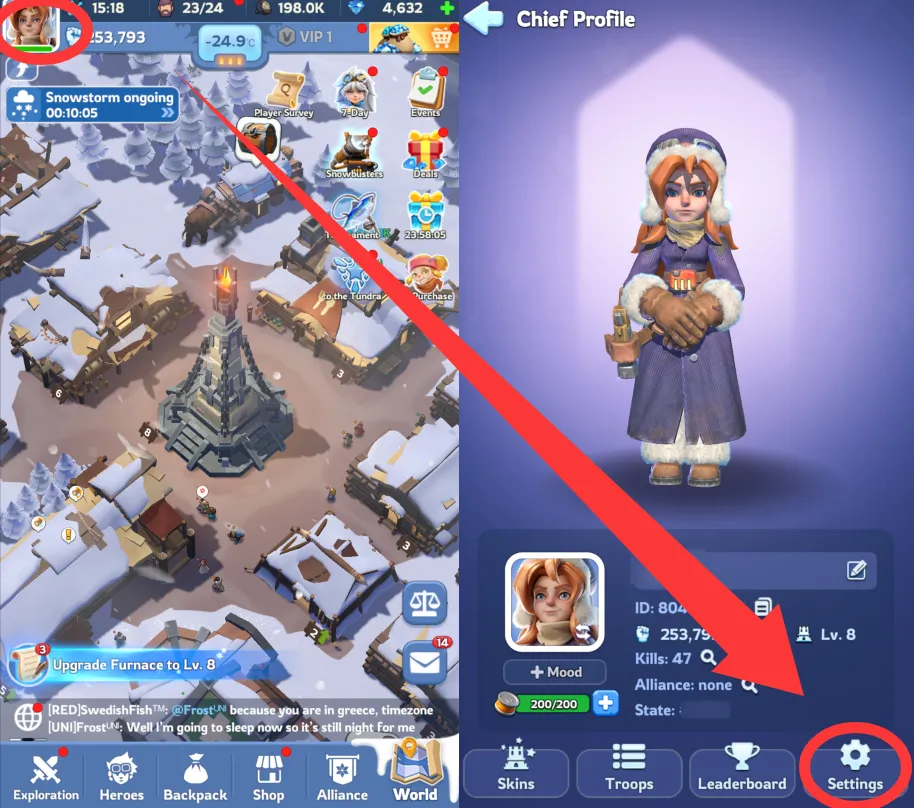
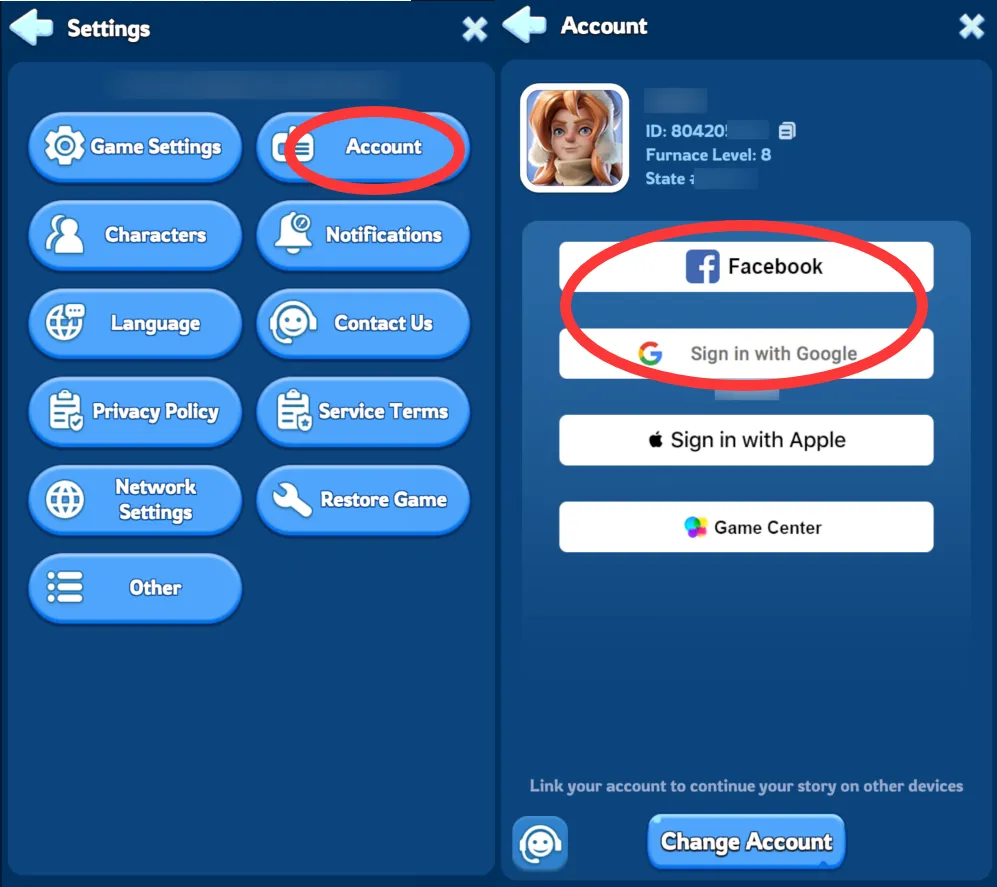
* Only accounts linked to the game via “Facebook” or “Google Login” are supported for top-up. Please make sure your game account is properly linked first (as shown in the guide below) before proceeding with the top-up. If you have any questions, please contact customer support.

How to Bind Your Whiteout Survival Account (Google/Facebook)

Log in to the game > tap the Gear icon in the top-right corner > select Account > Link your Google or Facebook account.

Whiteout Survival Account

Whiteout Survival Account

If you're using Google login, please make sure Google 2-Step Verification is enabled — this keeps the top-up process faster and your account more secure.

How to Enable Google 2-Step Verification?

1. Go to Account Settings: Click your profile picture in the top right corner of Chrome and select "Manage your Google Account."

2. Access Security: Navigate to the "Security" tab and scroll down to select "2-Step Verification."

3. Link Your Phone: Click "Turn on," then enter the mobile number you want to link to your account.

4. Complete Setup: Hit "Next," enter the confirmation code you receive, and you're all set!

Why Top Up WOS Packs on Mone?

Mone offers better value and zero-risk top-ups compared to the in-game store.

  • Best ValueGet the same in-game packs for less than their Frost Star price, so every purchase saves you Frost Stars compared to buying directly in the game.
  • 100% SecureWe use official, direct channels and advanced encryption, and we clear your login history after every order so your account stays protected.
  • Fast Delivery: Most orders are processed automatically and delivered within 5 minutes.

What Are Frost Stars in Whiteout Survival?

Frost Stars are the premium, cash-equivalent currency in Whiteout Survival, developed by Century Games. Frost Stars can be spent on Gems, exclusive packs, and event bundles — you can use them to buy almost anything in the in-game store. At the standard official rate, 100 Frost Stars is worth about $1 USD, and Frost Star purchases also count toward your VIP points, helping you unlock higher VIP perks faster. Frost Stars never expire, so any amount you top up stays in your account until you're ready to spend it.

On Mone, you can purchase Frost Stars directly at a lower price. Simply choose the amount you need and complete your purchase for a fast, convenient, and cost-effective top-up experience.

FAQ

1. How many Frost Stars can I get for $100 in Whiteout Survival?

At the official base rate, $100 gets you roughly 10,000 Frost Stars. Bonus events, bundle discounts, and third-party stores like Mone can stretch that further — exact amounts vary by pack and current promotion. 

2. Is it safe to top up WOS on Mone?

Yes. We strictly use official, direct channels and advanced encryption to keep the process secure and worry-free.

3. How long does delivery take?

Most orders arrive within 5 minutes. If anything's delayed, our 24/7 customer support is here to help.

4. What should I buy in the Whiteout Survival shop?

It depends on your stage of the game. Early on, Frost Stars are best spent on Gems and growth packs to speed up your base. Mid-to-late game, watch for limited-time event bundles and VIP packs — they usually offer better value per Frost Star than one-off purchases.

5. Can I get a refund if my order isn't delivered?

If your order hasn't been processed or delivered yet, refunds may be possible depending on the situation — contact our support team with your order details. Once a top-up has been delivered, it generally can't be refunded, the same as with any in-game purchase.

pegiteen

Copyright © 2026 by NexaPlay Technology Limited.

Registration Number: 80592435

Address:Room E29, Flat 1, 13/F, Block C, Hang Wai Industrial Centre, 6 Kin Tai Street, Tuen Mun, Hong Kong